Free to start · your data always exportable
Log the dive.
Read the data.
The dive logbook for divers who like data. Bring your logbook from SSI, Garmin or a spreadsheet, see your SAC trend, your season forecast and a life list of everything you’ve seen, and take all of it with you whenever you like.
Works in any browser, on desktop or your phone. The iOS and Android apps are built and in testing.
Your logbook, upgraded
One logbook for every dive you’ve done.
Loggerfish turns each entry — depth, gas, buddy, site, conditions and sightings — into the numbers serious divers want: SAC trends, cost per dive, gear service intervals and a season forecast against your own target.
Your data
Your logbook is yours. Take it anywhere.
Every dive you log can leave with you, whenever you like: as an Excel file anyone can open, as a UDDF file other dive logbooks read, or as a complete backup. On the free plan, for good. That is not a given. The PADI app, with over a million installs, has no way to export your logbook at all.
PADI app: no logbook export, as checked in September 2026.
Excel and UDDF, free
Every dive and every field in one spreadsheet, or a UDDF file that Subsurface, Diving Log and other logbook programs can read. Neither one needs Loggerfish to open it.
Full backup, free
Your whole logbook, dive profiles included, in one file you keep, to restore on any device.
Bring it in, too
From SSI, from Garmin dive computers, as UDDF from other logbook programs, from any spreadsheet, or typed across from the PADI app.
What’s inside
Everything a logbook should do
Everything a paper logbook can’t do, and everything a spreadsheet makes you build yourself.
Every dive, once
Depth, times, gas, buddy, site, conditions and notes — imported from SSI or entered by hand in seconds, then searchable and filterable.
Open in the appThe dashboard is the point
SAC and depth trends, a forecast against your annual target, seasonality and top sites, with detail on hover for every chart.
Open in the appA life list of what you’ve seen
Log the fish, turtles and rays you meet and get species counts, first sightings and the sites where you see the most.
Open in the appAround the dive
Plan, track and keep
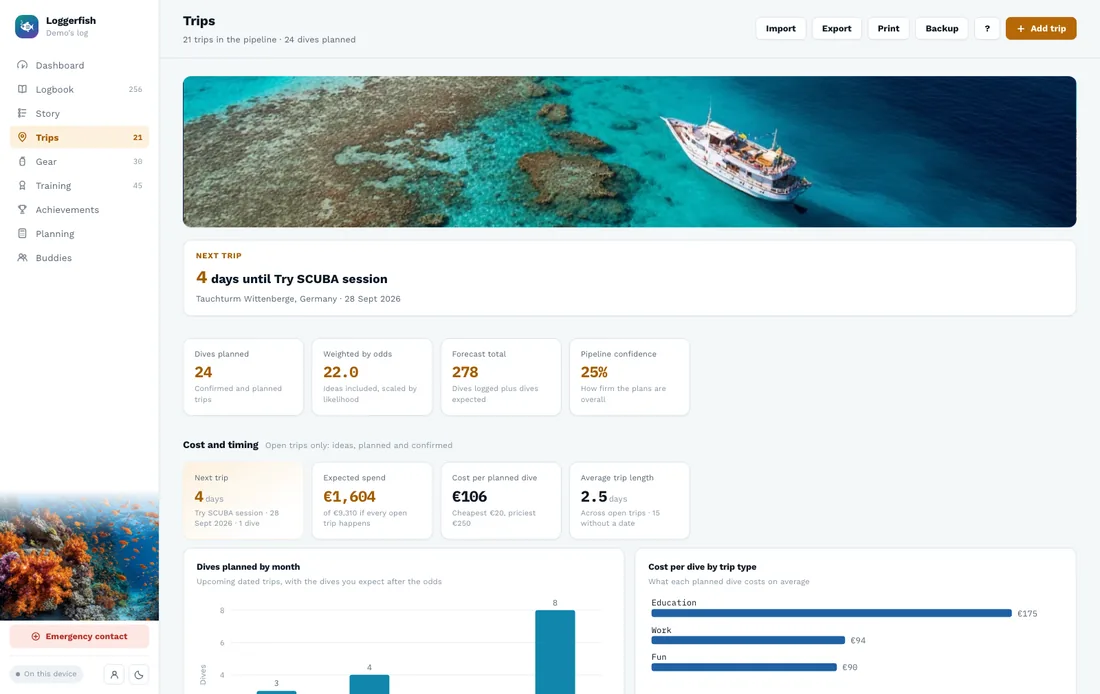
Trips on a live map
Plan trips on a map of the dive sites you’ve already logged, or scope out new ones before you book.
Open in the appKnow what your kit costs
What you own, what it cost, service intervals and net outlay per month — down to cost per dive.
Open in the appYour certifications, in order
A running record of every course and speciality, dated and verified, with your next milestone flagged.
Open in the appSee it
See your whole diving life at a glance
Open the dashboard and the numbers are already there, built from the dives you’ve logged — nothing to set up.
- SAC-rate trend and a forecast for your season
- Depth, time and month-by-month charts
- Sightings life list and best sites for wildlife
- Conditions and gas: water temperature, visibility, nitrox
Screenshots show the app with sample data.
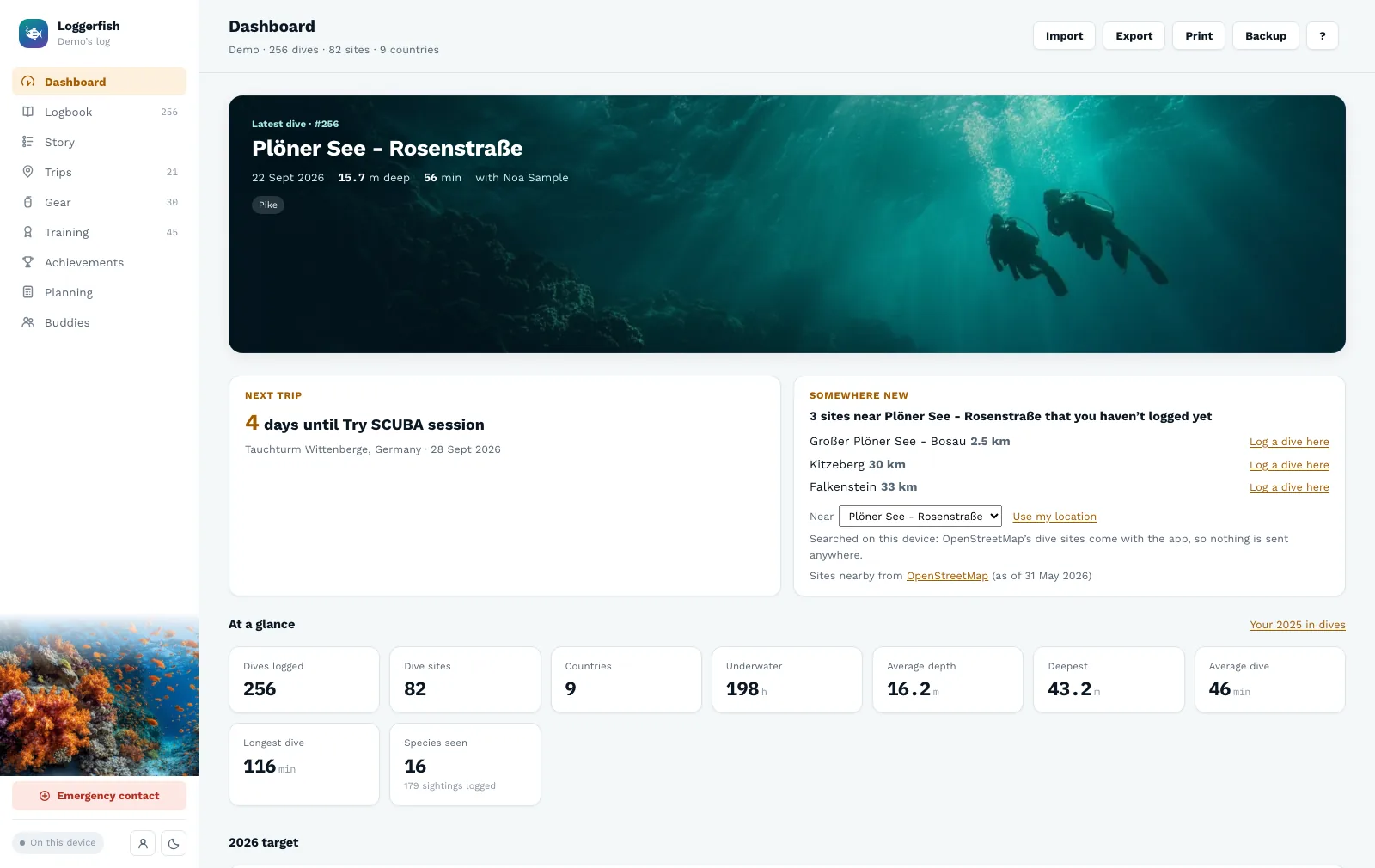
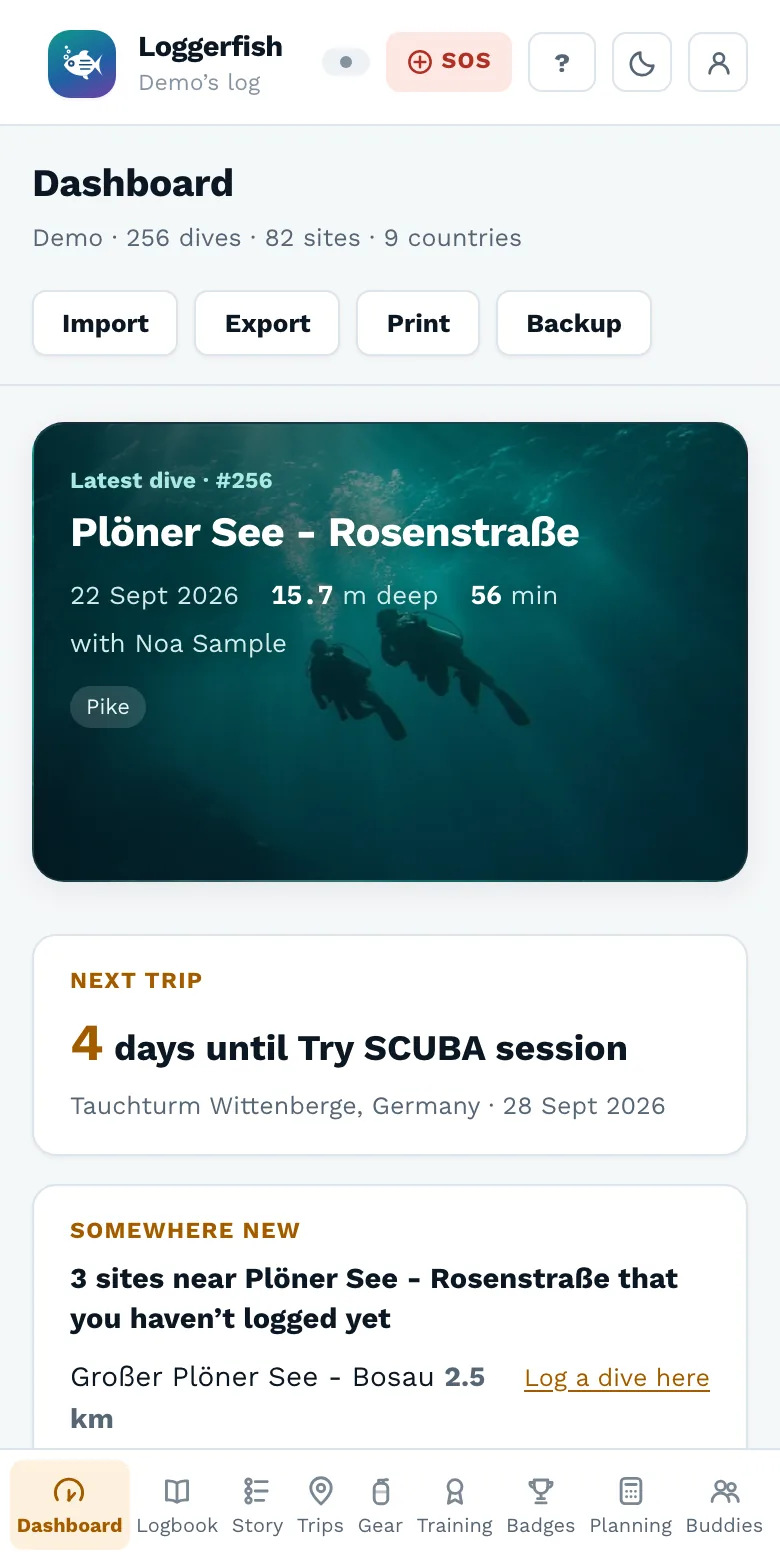
The app itself
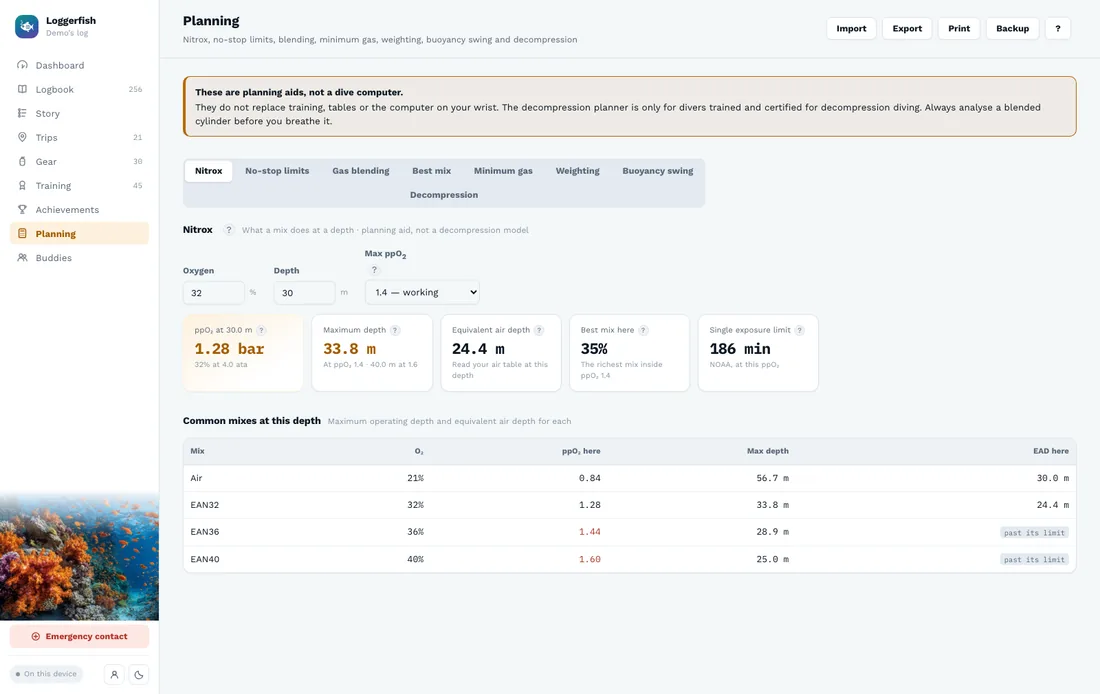
The screens you’ll spend your time in
Straight out of the app as it is today, with the sample logbook you can open for yourself in one click.
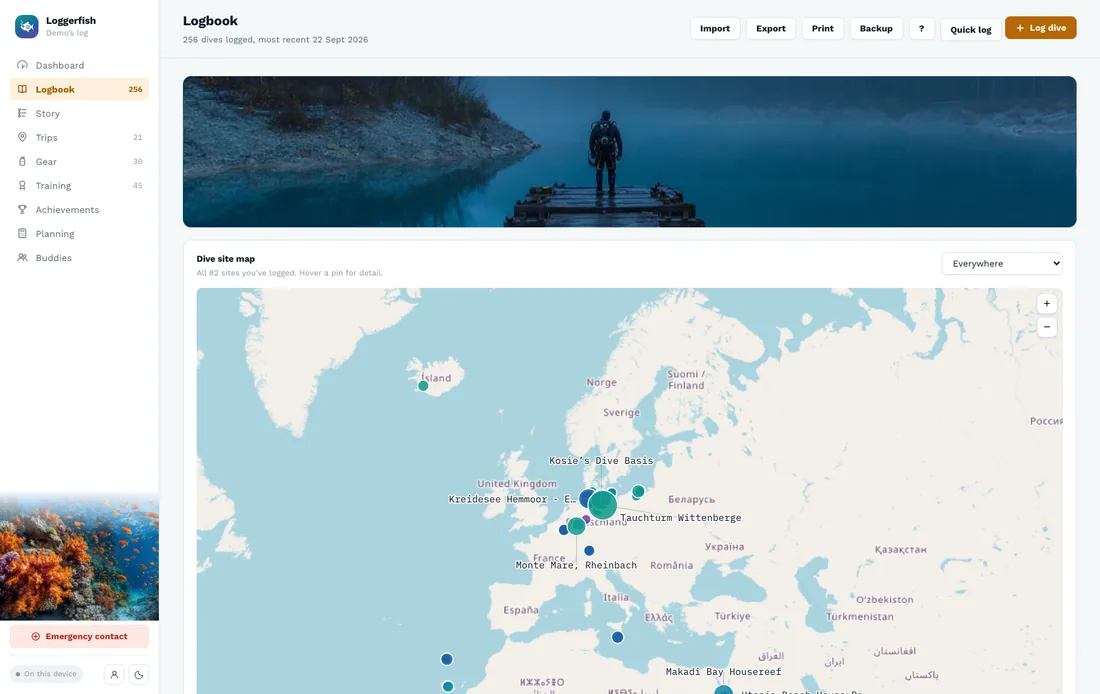
Switching
Bring your logbook with you
Already logging with SSI? Import your export directly. Garmin dive computers, UDDF files from other logbook programs and any spreadsheet work too, and the PADI app, which has no export, gets a quick grid to type or paste your dives into. Loggerfish previews every change before it writes anything, and you can take everything out again whenever you like.
Coming from MySSI? Export your logbook there and import it here in a minute — then keep your own copy, in Excel or UDDF, whatever you log with in future.
Everywhere
One logbook, every device
The web app carries the whole logbook today. The iOS and Android apps are built from the same code and read the same data — they are in testing now.
Web app
Works today in any modern browser, on desktop or your phone — no installation, no waiting.
iOS app
Built and running on real devices: log dives offline on the boat, and they sync once you have signal again. The App Store comes next.
Android app
The same logbook and the same analysis, built for Android and running now. Google Play comes next.
Tell me when the apps are in the stores
The iOS and Android apps are built and in testing. Leave your address and get one email when they reach the stores. The web app works today, free.
How it compares
Planning, costs and analytics in one log
Other dive apps do their part well: Subsurface has a serious decompression planner, and the SSI and PADI apps hold your certification cards and courses. Loggerfish brings dive-planning calculators, what your diving costs and a close look at your own dives together in one place.
| Loggerfish | MySSI | PADI App | Subsurface | |
|---|---|---|---|---|
| Dive-planning calculators | 7 built in: nitrox and EAD, MOD, best mix, no-stop limits, gas blending, minimum gas, weighting | Not listed | Not listed | Decompression planner (desktop app) |
| Costs of gear, training and trips | Tracked per dive, per year and per item | Not listed | Not listed | Not listed |
| Analysis of your own dives | Records, habits, forecasts, SAC trends, depth and time charts | Not listed | Not listed | Statistics and dive-profile graphs |
| Dives from a dive computer | From Garmin FIT and UDDF files; no direct Bluetooth download yet | From selected dive computers | Not listed | From many models, by USB or Bluetooth |
| Export your whole log | Excel, UDDF or a full backup, any time | Not listed | Not listed | Yes, in open formats |
| Where it runs | Web app today; iOS and Android apps in testing | iOS, Android | iOS, Android | Windows, macOS, Linux; iOS and Android companion app |
| Price | Free plan; Pro €29 a year, or €99 once | Free | Free | Free and open source |
Your data is never sold, there are no ads, it isn’t used to train AI, and you can export all of it at any time.
Compared with what each app lists on its own website and store pages, September 2026. “Not listed” means we couldn’t find it there, not that it can’t exist. Spotted a mistake? Tell us and we’ll correct it.
Free to log. Pro to understand.
Every dive you log stays yours on both plans. Pro adds the analysis on top of it. This is what pricing looks like at launch — nothing is charged today.
- Unlimited dives — no cap on your logbook
- Notes, gas, conditions and sightings on every dive
- Gear and certifications tracking
- Import from SSI, Garmin, UDDF or any spreadsheet; Excel export and full backup
- Basic dashboard — totals, recent dives, depth & time charts
That’s €2.42 a month, billed once a year
Billed monthly. Yearly saves you €29.80.
- Everything in Free
- Advanced analytics — SAC trend, forecast vs target, seasonality, conditions and gas, sightings life list
- Dive-site maps & trip planning
- Cloud sync and automatic cloud backup across your devices
- Early access to new features
Pay once
Lifetime — Pro for good, nothing renews
500 lifetime licences at launch. One payment, every Pro feature including the ones still to come, and nothing to cancel. The free plan’s export stays free either way.
All prices include VAT.
How €29 a year compares
Priced like the activity apps you may already pay for: well under half a Strava subscription, and less than a year of AllTrails+.
| App | Per year | For |
|---|---|---|
| Strava | €74.99 | Running and cycling: training analysis, routes |
| AllTrails+ | €35.99 | Hiking: offline maps, trail alerts |
| Loggerfish Pro | €29 | Diving: SAC trends, forecasts, maps, sync. Logging and export stay free. |
Why a subscription at all: the logbook, the import and the Excel, UDDF and backup files are free forever. Pro pays for what costs money every month — keeping your dives in sync across your devices — and for analysis that keeps gaining charts. If you would rather not have a subscription, the lifetime licence above is the same thing paid once.
Annual list prices in Germany as published by each company, September 2026. They set their own prices and may change them; Strava and AllTrails are trademarks of their owners.
Good to know
Questions, answered
Is Loggerfish really free right now?
Yes. Loggerfish is in early access, so every feature — including the analytics normally reserved for Pro — is unlocked while payments and the store releases are finished. The pricing above is what to expect at launch, not a paywall today.
Can I import my existing logbook?
Yes. From SSI, export your logbook from myDiveSSI.com and import the file directly. Garmin dive computers (.fit files) and UDDF files from other logbook programs import directly too, and any spreadsheet or CSV works by matching its columns once. The PADI app has no export, so Loggerfish gives you a grid to type your dives across, or paste them from a spreadsheet. Every import is previewed before anything is written.
Do I need a connection to log a dive?
No. The app keeps your logbook on the device you are using, so you can log a dive from a boat with no signal at all and it will still be there. With an account, your dives sync to your other devices as soon as you are back in range.
Will there be a real iOS and Android app?
They exist. Both are built from the same code as the web app and run on real phones today; what is left before the stores is submission and review. The web app came first because the whole logbook already worked there.
Is my dive data private?
Your logbook is yours. On the Free plan it stays on your own device, and you can export it at any time as an Excel file or a full backup. Nothing is shared with anyone else by default.
Is there a limit on how many dives I can log?
No. The Free plan has no dive limit. Pro adds the analysis, maps and trip planning, and syncing your log across devices.
What happens to my dives if Loggerfish disappears?
You keep them. The Excel file, the UDDF file and the full backup are free features and always will be — take a copy whenever you like and it opens without us. UDDF is the format other dive logbooks read, so your dives can move into one. That is the whole reason export is on the free plan.
Why a subscription instead of paying once?
You can pay once: there is a lifetime licence at €99, 500 of them at launch. Otherwise the logbook itself is free and stays free — unlimited dives, import, Excel, UDDF and backup — and Pro pays for the parts with a bill attached: keeping your log in sync between your devices and backed up in the cloud, plus analysis that keeps gaining charts. Yearly works out at €2.42 a month, and if you ever stop paying, your logbook and every export stay with you.
I already use the app that came with my dive computer.
Keep using it to get the dives off the computer. Those apps read their own maker’s hardware; Loggerfish takes dives from any of them, plus the ones you did on a rental, a club tank or someone else’s boat, and keeps the lot in one log you can export.
My spreadsheet works fine.
Then bring it. Match your columns once and every dive comes across. You get the charts you would otherwise build by hand, and you can export back to a spreadsheet whenever you like.